Master Digital Distraction: Cut Interruptions by 40% in 2026

Practical Tips for Minimizing Digital Distractions: Reduce Interruptions by 40% in 2026
In our hyper-connected world, the constant deluge of pings, notifications, and endless scrolling has become the norm. While digital tools promise convenience and efficiency, they often deliver a relentless stream of distractions, fragmenting our attention and eroding our ability to focus. The good news? You’re not alone in this struggle, and more importantly, you have the power to reclaim your focus. This comprehensive guide will equip you with practical, actionable strategies for minimizing digital distractions, with a bold aim to help you reduce interruptions by a significant 40% by 2026. Imagine the impact on your productivity, creativity, and overall well-being!
The average person checks their phone dozens of times a day, often without a specific purpose. Each check, each notification, each quick glance at social media, pulls us away from the task at hand, incurring what experts call ‘attention residue.’ This isn’t just about the time spent on the distraction itself; it’s about the lingering cognitive cost of switching tasks, which can take up to 23 minutes to fully recover from. Over a day, a week, or a year, these small interruptions accumulate into a massive drain on our mental resources and productivity. Learning to minimize digital distractions is no longer a luxury; it’s a necessity for thriving in the modern age.
Our journey to minimize digital distractions begins with understanding the enemy – the subtle and overt ways technology steals our attention. From there, we’ll delve into a multi-faceted approach, covering everything from device settings and environmental design to behavioral changes and mindfulness practices. By implementing these strategies consistently, you’ll not only reduce interruptions but also cultivate a more intentional and fulfilling relationship with your digital devices.
Understanding the Digital Distraction Landscape
Before we can effectively minimize digital distractions, we need to understand their nature. Digital distractions come in various forms, each with its own psychological pull. Recognizing these patterns is the first step towards breaking free.
The Psychology of Notifications
Notifications are designed to be addictive. They tap into our brain’s reward system, offering a tiny hit of dopamine with each new message, like, or update. This intermittent reinforcement schedule – where rewards are unpredictable – is incredibly powerful in driving compulsive checking behavior. Think of it like a slot machine: you never know when the next ‘win’ (a valuable notification) will come, so you keep pulling the lever (checking your phone). To truly minimize digital distractions, we must disrupt this reward cycle.
The Endless Scroll and Information Overload
Social media feeds, news sites, and even work-related platforms are often designed for endless scrolling. This design choice keeps us engaged for longer periods, but it also leads to information overload and a sense of overwhelm. Our brains are not wired to process such vast amounts of information continuously, leading to decision fatigue and reduced cognitive capacity. Breaking the habit of the endless scroll is crucial to minimize digital distractions.
Multitasking Myths and Reality
Many believe they can effectively multitask, juggling emails, messages, and complex tasks simultaneously. However, scientific research consistently shows that true multitasking is a myth. What we perceive as multitasking is actually ‘task-switching’ – rapidly shifting our attention from one task to another. Each switch comes with a cognitive cost, reducing efficiency, increasing errors, and extending the time it takes to complete tasks. The goal is not to multitask better, but to single-task more effectively to minimize digital distractions.
Phase 1: Taming Your Devices – Immediate Actions to Minimize Digital Distractions
The quickest wins in minimizing digital distractions come from reconfiguring your devices themselves. These are fundamental changes that create a less interruptive digital environment.
1. Drastically Reduce Notifications
This is arguably the most impactful step. Go through every app on your smartphone and computer and ask yourself: ‘Do I absolutely need to be notified by this app in real-time?’
- System-Wide Settings: Turn off all non-essential notifications. For most apps, you only need notifications for urgent communications (e.g., direct calls from family, critical work alerts). Email notifications, social media likes, news updates, and game alerts are prime candidates for elimination.
- App-Specific Settings: Dive into individual app settings. Some apps allow for more granular control, such as only notifying you for direct messages versus group chats. Customize these aggressively.
- Badge Icons: These little red numbers are just as distracting as audible pings. Disable them for all non-essential apps. The goal is to reduce visual cues that pull your attention.
2. Implement ‘Do Not Disturb’ Schedules
Your devices have powerful ‘Do Not Disturb’ (DND) or ‘Focus Mode’ features. Use them religiously.
- Scheduled DND: Set DND to activate automatically during your work hours, study times, or family dinners. Allow exceptions only for critical contacts (e.g., starred contacts).
- Manual Activation: When you need to concentrate deeply, manually activate DND. Make it a habit before starting any focused work session.
- Nighttime DND: Ensure your phone is in DND mode throughout the night, preventing sleep disruption.
3. Curate Your Home Screens and Desktops
A cluttered digital environment contributes to mental clutter. Simplify your primary interfaces to minimize digital distractions.
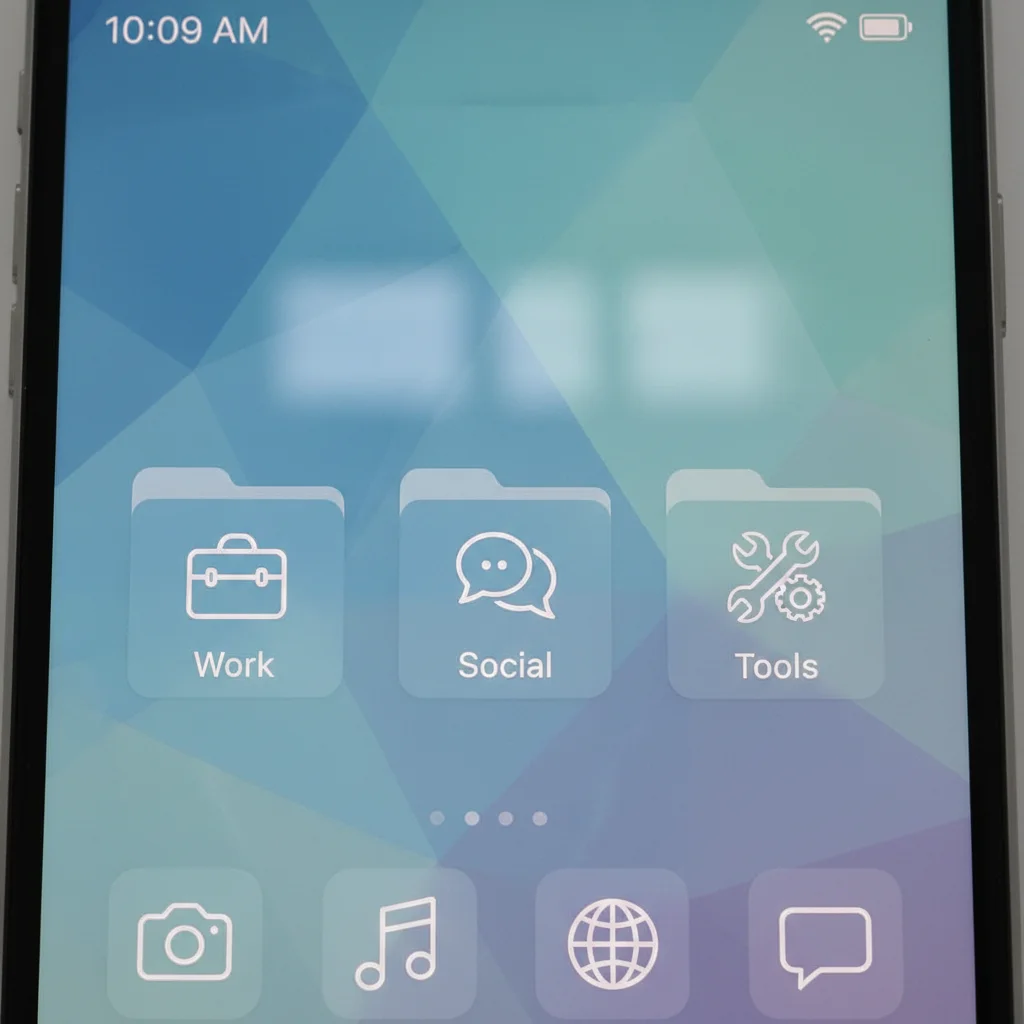
- Phone Home Screen: Limit your home screen to essential communication and productivity apps. Group similar apps into folders. Remove social media, games, and entertainment apps from your primary screens. Better yet, move them to a separate screen or folder that requires an extra swipe or tap to access.
- Desktop Clean-up: Keep your computer desktop tidy. Use folders to organize files and minimize the number of visible icons. A clean desktop reduces visual noise and the temptation to click on something unrelated to your current task.
4. Utilize Grayscale Mode
Color is stimulating and designed to capture our attention. Switching your phone screen to grayscale mode can make it significantly less appealing.
- Reduced Appeal: Without vibrant colors, apps like Instagram or TikTok lose much of their allure, making it easier to put your phone down.
- Temporary Use: You don’t have to live in grayscale permanently. Use it during designated focus times or when you find yourself mindlessly scrolling.
5. Unsubscribe and Unfollow Ruthlessly
Your inbox and social media feeds are often overflowing with content you don’t need or want. Cleaning these up is a powerful way to minimize digital distractions.
- Email Overload: Dedicate 15 minutes each week to unsubscribing from newsletters and promotional emails you no longer read. Use tools like Unroll.me if your inbox is particularly unruly.
- Social Media Cull: Unfollow accounts that don’t add value, make you feel bad, or are simply noise. Curate your feed to be inspiring, informative, or genuinely entertaining, not just a time sink.
Phase 2: Cultivating Mindful Digital Habits – Behavioral Changes
Beyond device settings, a significant part of minimizing digital distractions involves changing our own behaviors and relationship with technology. This requires intentionality and practice.
6. Schedule Digital ‘Check-in’ Times
Instead of constantly reacting to every ping, designate specific times to check emails, messages, and social media.
- Batch Processing: For example, check emails at 9 AM, 1 PM, and 4 PM. Outside of these times, close your email client.
- Social Media Slots: Allocate 15-20 minutes, once or twice a day, for social media. Treat it like a scheduled break, not a continuous background activity.
- Communicate Your Availability: Inform colleagues and friends about your scheduled check-in times. This sets expectations and reduces the pressure to respond immediately.
7. Create Physical Boundaries for Your Devices
Where your devices are physically located significantly impacts how often you interact with them.
- Out of Sight, Out of Mind: When working, put your phone in a drawer, in another room, or at least face down and out of arm’s reach. The visual presence of your phone is a powerful trigger for checking it.
- Device-Free Zones: Establish certain areas or times as device-free. The dining table, bedroom (especially an hour before bed), and during family activities are excellent candidates. This helps minimize digital distractions during important personal moments.
8. Practice Single-Tasking
Consciously commit to focusing on one task at a time. This is a powerful antidote to the constant urge to task-switch.
- Pomodoro Technique: Work for 25 minutes with intense focus, then take a 5-minute break. During the 25-minute sprints, all digital distractions are off-limits.
- Deep Work Sessions: Schedule longer blocks of uninterrupted time (90-120 minutes) for your most demanding tasks. During these sessions, go completely offline if possible.
9. Understand Your Triggers
What makes you reach for your phone or open a new tab? Is it boredom, stress, a feeling of being stuck on a task, or a desire for novelty?
- Journaling: Keep a distraction journal for a few days. Note when you feel the urge to check your phone, what you were doing, and how you were feeling.
- Alternative Actions: Once you identify triggers, develop healthy alternative actions. If it’s boredom, take a short walk, stretch, or read a physical book. If it’s feeling stuck, step away from the screen for a moment, grab a glass of water, or talk to a colleague (if appropriate).
10. Use Technology to Help, Not Hinder
Paradoxically, some apps can help you minimize digital distractions.
- Website Blockers: Tools like Freedom, Cold Turkey, or StayFocusd can block distracting websites and apps for set periods.
- Focus Timers: Apps like Forest or Pomodoro timers gamify focus periods, growing a virtual tree or rewarding uninterrupted work.
- Screen Time Trackers: Most smartphones have built-in screen time tracking. Review these reports regularly to become more aware of your usage patterns and identify areas for improvement.
Phase 3: Environmental and Lifestyle Adjustments
Your physical environment and broader lifestyle choices also play a crucial role in your ability to minimize digital distractions.
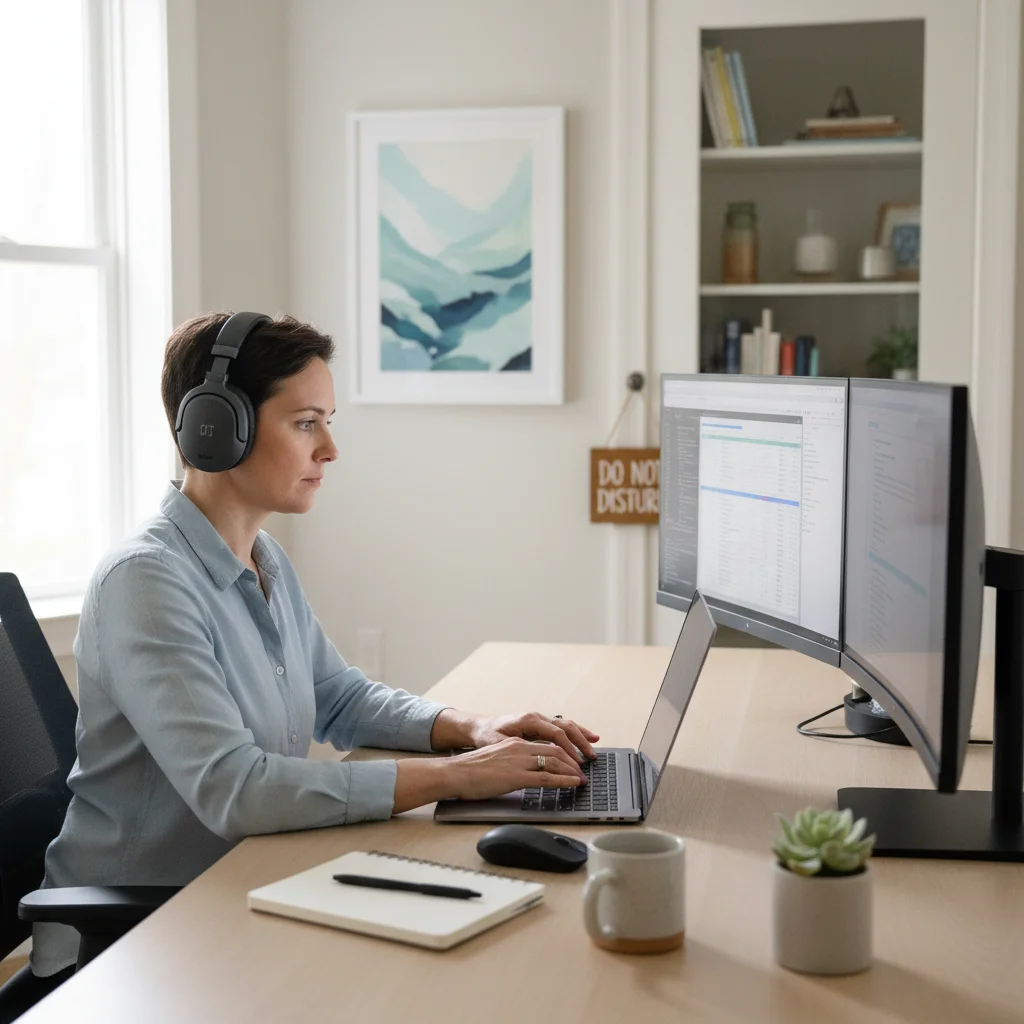
11. Design a Distraction-Free Workspace
Your physical environment significantly influences your mental state and ability to focus.
- Declutter: A clean, organized workspace reduces visual clutter and mental strain. Keep only essential items on your desk.
- Noise Control: Use noise-canceling headphones, play instrumental focus music, or consider white noise to block out auditory distractions. Communicate with housemates or family about your need for quiet during certain hours.
- Natural Light: Position your workspace near a window if possible. Natural light improves mood and cognitive function.
12. Prioritize Sleep and Exercise
A well-rested and physically active mind is better equipped to resist distractions.
- Quality Sleep: Aim for 7-9 hours of quality sleep per night. Sleep deprivation impairs executive function, making it harder to concentrate and resist impulses. Create a consistent bedtime routine that excludes screens for at least an hour before sleep.
- Regular Exercise: Physical activity boosts cognitive function, reduces stress, and improves focus. Even short bursts of exercise can clear your head and improve your ability to minimize digital distractions.
13. Incorporate Mindfulness and Breaks
Regular mental breaks and mindfulness practices can significantly enhance your ability to focus and minimize digital distractions.
- Short Breaks: Step away from your screen every hour or so. Look out a window, stretch, or grab a drink of water. These micro-breaks prevent mental fatigue.
- Mindfulness Practice: Even 5-10 minutes of daily mindfulness meditation can train your attention and improve your ability to notice when your mind wanders, allowing you to gently bring it back to the task at hand.
- Digital Detox Days/Hours: Periodically, commit to completely unplugging for a few hours, a half-day, or even a full weekend. This helps reset your brain and reminds you that life exists beyond the screen.
14. Set Clear Goals and Intentions
When you know exactly what you need to achieve, you’re less likely to be sidetracked. Vague goals invite distractions.
- Daily Priorities: Start each day by identifying your top 1-3 most important tasks. Write them down.
- Task-Specific Intentions: Before starting any task, ask yourself: ‘What is the specific outcome I want to achieve here?’ This clarity helps you stay on track and makes it easier to identify and dismiss irrelevant digital temptations.
Measuring Your Progress and Staying Consistent
Reducing digital distractions by 40% is an ambitious but achievable goal. To get there, you need to measure your progress and maintain consistency.
Track Your Screen Time
Most smartphones and operating systems offer built-in screen time tracking. Regularly review these reports. Are you seeing a downward trend in overall screen time, or time spent on distracting apps? This data provides objective feedback on your efforts to minimize digital distractions.
Journal Your Focus Levels
Beyond screen time, pay attention to your subjective experience. Are you feeling more focused? Are you getting more done in less time? Keep a simple journal to note your focus levels at different points in the day. This qualitative feedback is just as important as quantitative data.
Be Patient and Persistent
Changing ingrained habits takes time and effort. There will be days when you slip up and find yourself scrolling mindlessly. Don’t get discouraged. Acknowledge the slip, remind yourself of your goal to minimize digital distractions, and gently redirect your attention. Consistency over perfection is key.
Find an Accountability Partner
Share your goals with a friend, family member, or colleague. Having someone to check in with can provide motivation and help you stay on track. You can even challenge each other to ‘digital detox’ periods.
The Long-Term Benefits of Minimizing Digital Distractions
Beyond the immediate boost in productivity, consistently working to minimize digital distractions yields profound long-term benefits:
- Enhanced Cognitive Function: Improved attention span, better memory, and clearer thinking.
- Reduced Stress and Anxiety: Less overwhelm from constant information flow and a greater sense of control.
- Improved Sleep Quality: Less screen time, especially before bed, leads to more restful sleep.
- Stronger Relationships: Being fully present during conversations and interactions, rather than being distracted by your phone.
- Increased Creativity: More time for unstructured thought and boredom, which are crucial for creative insights.
- Greater Self-Awareness: Understanding your triggers and developing healthier coping mechanisms.
Conclusion: Reclaim Your Attention, Reclaim Your Life
The quest to minimize digital distractions is an ongoing journey, not a destination. In a world constantly vying for your attention, taking proactive steps to guard your focus is an act of self-care and empowerment. By implementing the practical tips outlined in this guide – from taming your devices and cultivating mindful habits to optimizing your environment and lifestyle – you are well on your way to significantly reducing digital interruptions. Imagine a 40% reduction in digital noise by 2026: more time for meaningful work, deeper connections, and a calmer, more focused mind. The power to transform your digital experience and, by extension, your life, is in your hands. Start today, one conscious choice at a time, to minimize digital distractions and unlock your full potential.